Cooldown manager冷却管理器
Your own panels of icons that watch spells, buffs, debuffs, items and totems, with looks, sounds and class-coloured outlines.
自己搭的图标面板,监视技能冷却、buff、debuff、物品和图腾,有各种样子、声音和职业色外框。
Cooldown Manager冷却管理器
Build your own panels of icons that watch spells, buffs, debuffs, items and totems.
自己搭的图标面板,监视技能冷却、buff、debuff、物品和图腾。
The Aura Cooldown Manager is P5UI's own tracker: off by default, and the first entry in the settings menu. You build panels that look like action bars, and each cell watches one thing: a spell's cooldown and charges, your buff on yourself or your target, your debuff on an ally, an item, a shaman totem or a weapon enchant. Buff, debuff and totem cells also work in combat. It can run next to Blizzard's own Cooldown Manager, but we suggest turning Blizzard's off so nothing shows twice.
冷却管理器是 P5UI 的监视面板,默认关闭,是设置菜单的第一项。建几个像动作条的面板,每个格子监视一样东西:技能冷却和层数、你放在自己或目标身上的 buff、放在队友身上的 debuff、物品、萨满图腾或武器附魔。buff、debuff 和图腾的格子战斗中也准。可以和暴雪自带的冷却管理器一起开,但建议关掉暴雪的,免得显示两份。
What you can set可以设置什么
- Up to 8 panels, and every cell has its own place in its panel: drag it anywhere, or set its X and Y; "Arrange cells" lays a row, column, bars or centered grid out once, and "Cells that are not there give way" closes the gaps (up to 80 cells a panel)
- Sources: Spell cooldown and stacks, My buffs on myself, My buffs on the target, My ally debuffs, Item (potions, healthstone, trinkets), Active totem, Weapon enchant
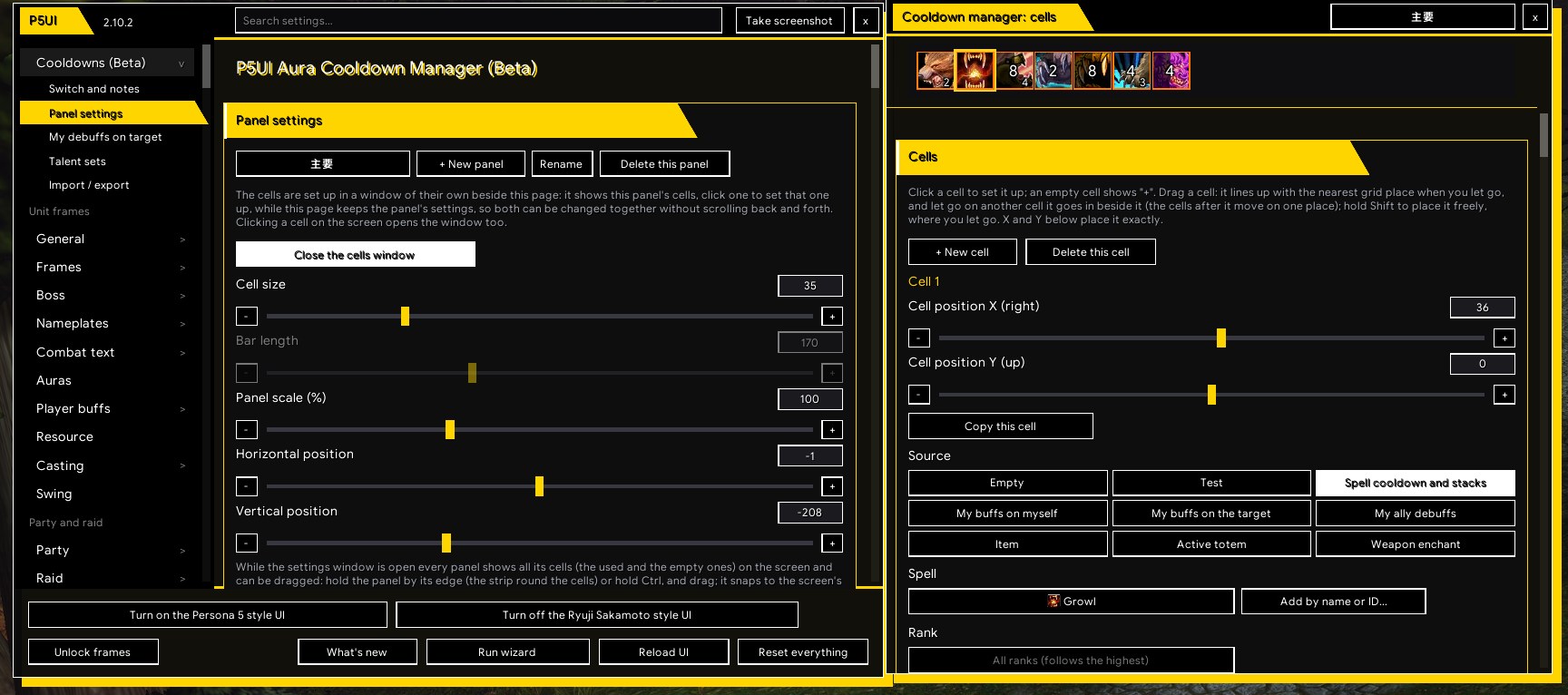
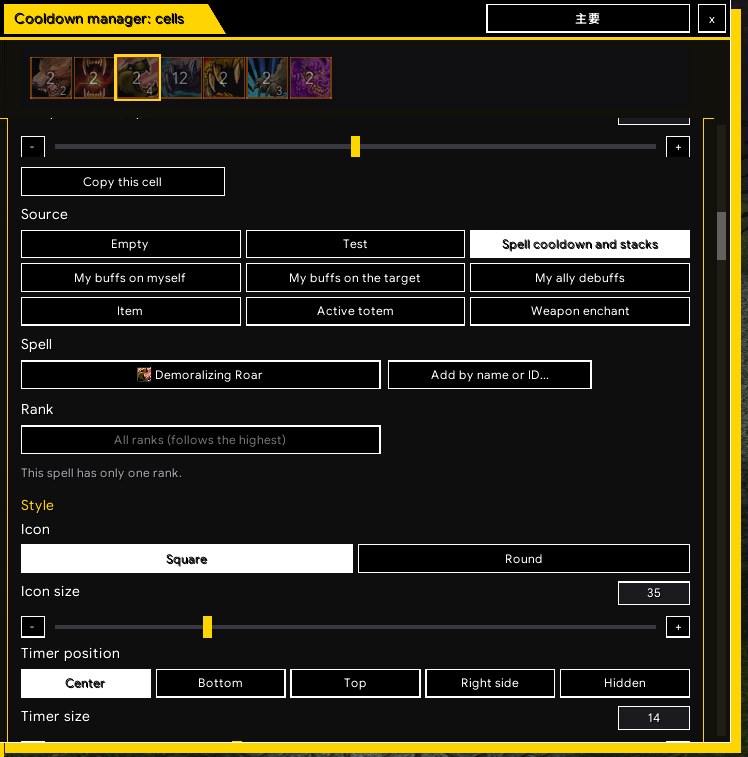
- A cells window beside the settings window: the panel's cells (click one to pick it) and that cell's settings, so panel and cell settings change together; add or delete a cell, copy it, or move it to another panel
- Your debuffs on the target as one group frame (off by default, shown while the target is an enemy) that can look like the cells, hang on a panel, and shake, strobe, bounce or shine as a debuff is about to expire
- Square or round icons, timer and stack styles, opacity in and out of combat, and a class-colored outline on square cells (a switch)
- Effects when ready and when a buff or debuff is gone (highlight, breathing glow, blink, zoom, ring, spinning light, shake, fade); when inactive: grey, a tint, hidden timer and stacks; a sound when a cooldown ends or a buff goes away
- Drag cells and panels on the screen while the settings window is open; a Test / preview button shows sample cooldowns
- 最多 8 个面板,每个格子在面板里有自己的位置:直接拖到哪里都行,或者设 X、Y;“整理格子”一次把格子排成横排、竖排、进度条或居中,“不在的格子让位”把空位收拢(一个面板最多 80 格)
- 来源:技能冷却和层数、我对自己的 buff、我对目标释放的 buff、我对队友的 debuff、物品(药水、治疗石、饰品)、萨满当前图腾、武器附魔
- 设置窗口旁边有单独的格子窗口:显示这个面板的格子(点哪个就设置哪个)和那个格子的设置,面板和格子可以同时改;可以新建、删除、复制格子,或把格子移到另一个面板
- 目标身上你放的 debuff 整组显示在一个框里(默认关,目标是敌人时才显示),可以做成和格子一样、挂在某个面板边上,debuff 快到期时还会抖动、频闪、弹跳或扫光
- 方形或圆形图标,计时器和层数样式,战斗中和脱战的透明度,方形格子的职业颜色外框(有开关)
- 可用时和 buff / debuff 消失后的效果(高亮、发光呼吸、闪烁、放大缩小、光圈、旋转光点、抖动、淡入淡出);不活动时:变灰、染色、隐藏计时器和层数;冷却结束或 buff 消失时响一声
- 设置窗口开着时,面板和格子都能直接在屏幕上拖动;“测试/预览”按钮显示示例冷却
Where to find it在哪里
In the settings window, left menu: Cooldown Manager, the first entry (/p5ui opens the settings). /p5ui probe weapon prints what the game answers about weapon enchants (for bug reports).
在设置窗口左侧菜单里:冷却管理器,是第一项(/p5ui 打开设置)。/p5ui probe weapon 会打印游戏对武器附魔的回答(报问题时用)。